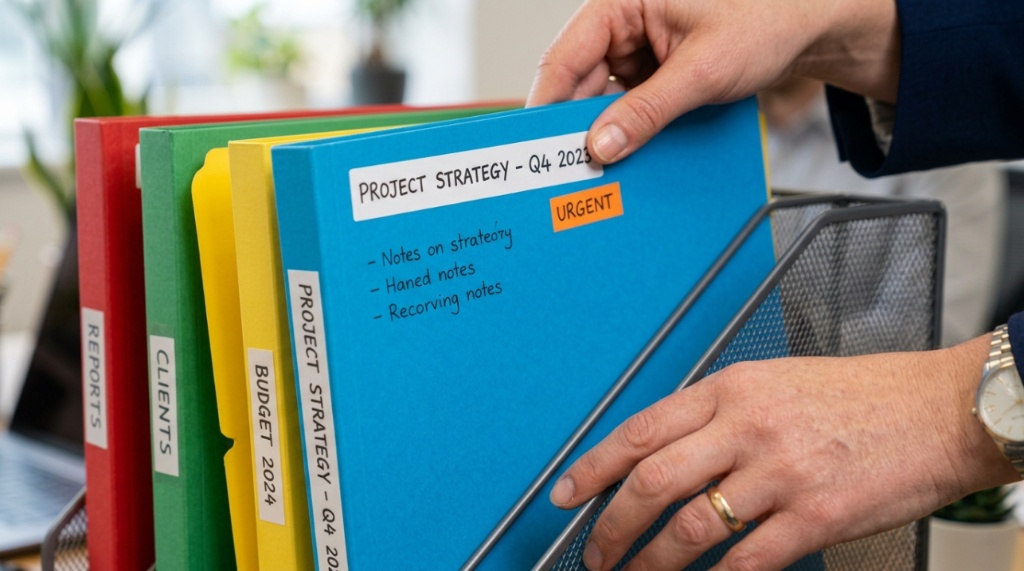
Does your desk look like a paper explosion? You are not alone. Most professionals lose up to 30 minutes per day searching for misplaced documents. The right office file organizer can transform chaos into clarity, saving you time, reducing stress, and boosting your productivity. But with so many options on the market, choosing the wrong one is easy. This guide helps you find a solution that fits your actual workflow, not just your shelf.
What Is an Office File Organizer and Why Do You Need One?
An office file organizer is any physical system designed to store, sort, and retrieve documents efficiently. It can be a desktop tray, a hanging file folder set, a magazine holder, or a multi-compartment sorter.
You need one because paper clutter is decision fatigue in physical form. Every minute you spend digging through stacks is a minute stolen from meaningful work. A good organizer creates a home for every document, so you always know exactly where to find invoices, contracts, meeting notes, and reference materials.
Beyond saving time, a tidy workspace signals professionalism to clients and colleagues. It also reduces the mental load of finishing your day—no one wants to return to a mountain of loose papers on Monday morning.
How Do You Assess Your Daily Filing Needs Before Buying?
Start by auditing what you actually file in a typical week. Most people overestimate their storage needs and underestimate their access needs.
Document Volume Audit
- Low volume (0–10 papers per day): A simple desktop sorter or single drawer organizer suffices.
- Medium volume (10–30 papers per day): Look for multi-tier vertical trays or expandable accordion files.
- High volume (30+ papers per day): Consider a lateral filing cabinet or a modular stacking system with labels.
Access Frequency
- Archive documents (reference once a month): Store in lower drawers or cabinets.
- Active documents (used daily or weekly): Keep within arm’s reach on your desktop.
- Pending action (bills to pay, forms to sign): Use a “now” tray that is the most accessible spot on your desk.
A common mistake is buying a giant organizer “for future growth” and then ignoring it because it is too cumbersome to use daily. Match your organizer to your current volume, not your aspirational filing system.
Which Types of Office File Organizers Work Best for Daily Use?
Not all organizers are created equal. Here are the most effective categories for daily productivity, ranked by usability.
| Type | Best For | Drawbacks |
|---|---|---|
| Vertical desktop sorters | Quick access to current projects | Limited depth for bulky documents |
| Hanging file folders with rack | Categorized long-term files | Requires drawer or dedicated desktop rack |
| Stackable letter trays | In/out processing workflows | Can become “dumping grounds” without discipline |
| Magazine holders | Catalogs, reference manuals, binders | Not ideal for single sheets |
| Adjustable dividers | Custom categories within one drawer | Less portable than standalone organizers |
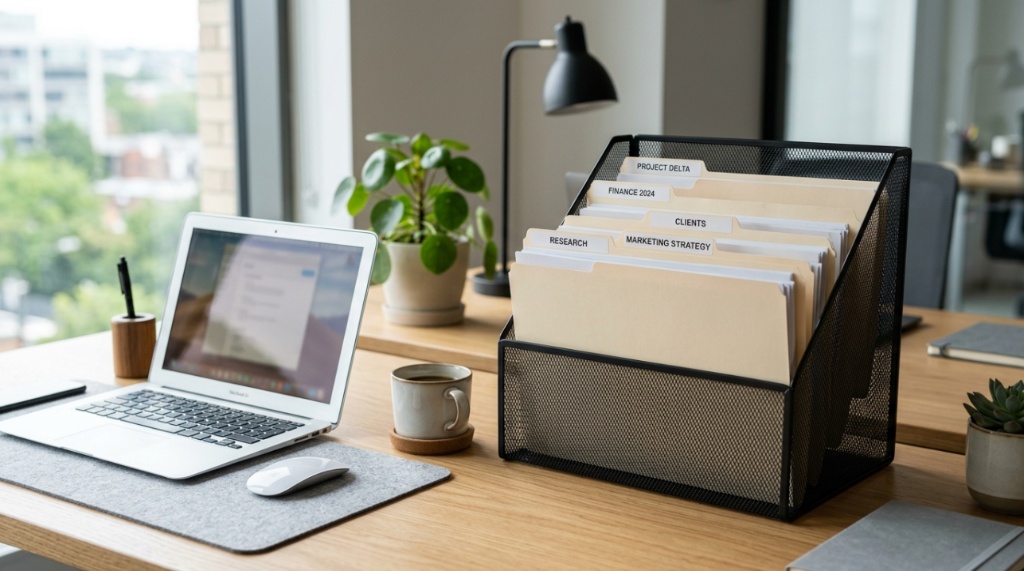
For daily desk use, vertical desktop sorters with labeled slots offer the best balance of visibility and capacity. They keep documents upright, so you can flip through tabs without removing everything.
How Much Does Desk Space Affect Your Choice of Organizer?
Your desk footprint is the single most limiting factor. Measure your available horizontal space before you browse any product.
Desktop Space Guidelines
- Under 48 inches wide: Stick to a single vertical sorter (no wider than 10 inches) or a small hanging file caddy that sits off to the side.
- 48–60 inches wide: You can accommodate a two-tier tray system plus a pen cup and a small file basket.
- Over 60 inches wide: Consider a combination of a desktop file frame and a small drawer unit underneath the work surface.
A common mistake is buying an organizer that is deeper than your desk. If the organizer pushes your monitor closer to your face, you will hate it. Always choose vertical storage over deep storage when space is tight.
What Materials and Build Quality Should You Look For?
Daily use demands durable materials that can withstand constant opening, closing, and shuffling. Avoid flimsy plastic that cracks at the corners.
Best Materials for Daily Organizers
Metal (steel or aluminum): Most durable and professional looking. Ideal for heavy file loads. Resists warping in humid environments. Usually more expensive but lasts for years.
High-density plastic (polypropylene): Lightweight and affordable. Great for home offices or temporary setups. Look for reinforced edges and strong hinge points. Avoid cheap acrylic that scratches easily.
Wood (bamboo or MDF): Aesthetic and sturdy. Best for executive desks where appearance matters. Can be heavier and harder to clean. May require occasional tightening of screws.
Cardboard or fabric: Only suitable for archives or items accessed less than once per week. These materials wear out quickly under daily use and can attract dust and pests.
How Important Is Labeling for Daily Organization Success?
Labeling is not optional. Without visible labels, your organizer becomes a black hole. Studies in workplace psychology show that visible labels reduce filing errors by over 60%.
Labeling Strategies That Actually Work
- Front-facing labels on vertical sorters so you can read them while seated.
- Color-coded tabs for different categories (blue for finance, green for clients, red for urgent).
- Replaceable inserts because your filing needs change over time. Avoid permanent labeling methods unless you are a minimalist.
- Bold, sans-serif fonts printed at 14pt or larger. Handwritten labels on masking tape look messy and are harder to read from a distance.
Take 15 minutes at the end of each week to audit your labels. Remove outdated categories and add new ones. This five-minute habit keeps your organizer relevant instead of becoming a graveyard for old papers.
Can One Organizer Handle Both Papers and Supplies?
Yes, but only if you choose a hybrid design intentionally. Many organizers try to do everything and end up doing nothing well.
When to Combine Paper and Supply Storage
- You have a very small desk (under 40 inches wide).
- You only need a few pens, sticky notes, and paper clips alongside your files.
- you are willing to dedicate one drawer or one tier entirely to supplies.
When to Keep Them Separate
- You have more than five types of supplies.
- Your supplies are bulky (staplers, tape dispensers, hole punchers).
- You share your desk with someone else.
A better approach is to use a small, dedicated desk caddy for supplies (like a mesh organizer or a rotating carousel) and a separate sorter for documents. This separation prevents “supply creep” where pens and sticky notes bury your important files.
Which Organizer Features Improve Daily Workflow?
Beyond basic storage, certain features turn a good organizer into a great daily tool.
Must-Have Features for Daily Use
- Non-slip base: Prevents the organizer from sliding around when you pull out files.
- Open front or tapered design: Allows you to grab papers without pinching your fingers.
- Stackable or modular connectors: Lets you expand as your needs grow.
- Integrated handle: Makes it easy to move the entire organizer to a different desk or a meeting room.
A feature that often goes overlooked is the ability to see the file tabs without pulling everything out. Look for sorters with a slight backward tilt or stepped tiers. This small design detail saves you from the frustration of flipping through every tab to find the right folder.
How Much Should You Spend on a Daily Office File Organizer?
Price does not always equal quality, but very cheap organizers are a false economy. A $10 cardboard sorter may last three months. A $40 metal sorter can last a decade.
Budget Guidelines by Usage
| Budget | What You Get | Ideal For |
|---|---|---|
| $10–$20 | Basic plastic or cardboard sorters | Temporary use, students, home offices |
| $20–$50 | Reinforced plastic, simple metal frames | Daily use in small to medium offices |
| $50–$100 | Premium metal with non-slip bases, modular designs | Professional desks, executive offices |
| $100+ | Wooden or designer organizers, filing cabinet combos | High-visibility reception areas, corner offices |
Spending more than $100 is rarely necessary for daily file organization unless you need a system that matches high-end office furniture. The sweet spot for most professionals is the $25–$45 range, where you find durable materials, good labeling options, and smart ergonomics.
For a curated list of budget-friendly options that balance cost and function, check out these office file organizer office organization tips for proven models that real users recommend.
How Do You Maintain Your File Organizer Long-Term?
Buying the organizer is only half the battle. Without maintenance, even the best system turns into clutter.
Weekly Maintenance Routine
- Daily reset: At the end of each workday, take 60 seconds to return all loose papers to their designated slots.
- Weekly purge: Every Friday, remove any document that is no longer needed. Recycle or shred it immediately.
- Monthly audit: Check your labels. Have your categories changed? Remove outdated tabs and add new ones.
- Quarterly deep clean: Empty the entire organizer, wipe it down, and reassess your filing system. Archive any documents you haven’t touched in three months.
The number one reason organizers fail is that people treat them as “temporary holding” instead of “permanent homes.” The moment you think, “I’ll sort this later,” your organizer loses its power. Commit to the reset routine for 21 days, and it becomes an effortless habit.
Why Size and Portability Matter for Hot-Desking or Remote Work
If you move between desks, work from home part-time, or share a workspace, portability matters even more than capacity.
Choosing a Portable Organizer
- Lightweight materials: Polypropylene or thin metal (under 2 pounds empty).
- Handle or carrying slot: Essential for one-hand transport.
- Secured closure: Elastic bands or a lid to prevent papers from spilling during transit.
- Letter-size compatibility: Most portable organizers are too small for legal documents. Verify dimensions.
A binder-style file organizer with a zipper closure is ideal for remote workers. It holds 10–15 folders, fits into a large tote bag, and can go from your coffee shop desk to your home office without a single lost paper.
When setting up your workspace, choosing the right desktop system ensures your workflow remains seamless. In fact, if you are currently transitioning to a new workspace, coordinating your storage setup early is key to making your office move go well without losing track of important files.
Frequently Asked Questions
How do I stop my file organizer from getting cluttered again?
Implement a “one in, one out” rule. Whenever you add a new document to a category, remove an old one that is no longer relevant. Also, schedule a five-minute end-of-day reset to file any loose papers.
Can I use an office file organizer for digital documents?
No. Digital documents require folder structures on your computer. However, you can use a physical organizer to store printouts, handwritten notes, and reference sheets that you prefer to read on paper.
Is a vertical or horizontal organizer better for my desk?
Vertical organizers are better for small desks and quick access. Horizontal trays work well for deep desktops but encourage stacking, which makes lower papers hard to reach. Choose vertical unless you have ample depth.
What is the best material for an office file organizer in a humid climate?
Powder-coated steel or aluminum is best. Wood can warp and plastic can become brittle. Avoid cardboard or fabric organizers if humidity regularly exceeds 60%.
How many compartments do I need for daily filing?
Most professionals need between 5 and 8 compartments: one for “to do,” one for “to file,” one for “reference,” and 3–5 for active projects. More than 8 compartments encourage over-categorization.
Can I use a file organizer for binders and thick folders?
Only if the organizer has deep slots (at least 12 inches deep) and wide openings (minimum 2 inches per slot). Standard desktop sorters are too narrow for binders. Use magazine holders instead.
Should I buy a file organizer with a lid or without?
Without a lid is better for daily use because you can see and grab documents quickly. A lid is useful only if you transport your organizer frequently or if you need dust protection in a storage area.
Conclusion
Choosing the right office file organizer for daily use comes down to three things: knowing your document volume, measuring your available space, and committing to a simple maintenance routine. Do not overthink it—start with a vertical sorter that can hold your current active files, label every slot clearly, and spend two minutes each evening resetting the system. That small daily investment pays back in saved time, reduced stress, and a desk that works for you instead of against you.
Take a photo of your desk right now. Compare it to what you want it to look like. The gap between them is exactly one good organizer and a five-minute daily habit. Pick your organizer today, test it for 30 days, and watch your productivity change.