
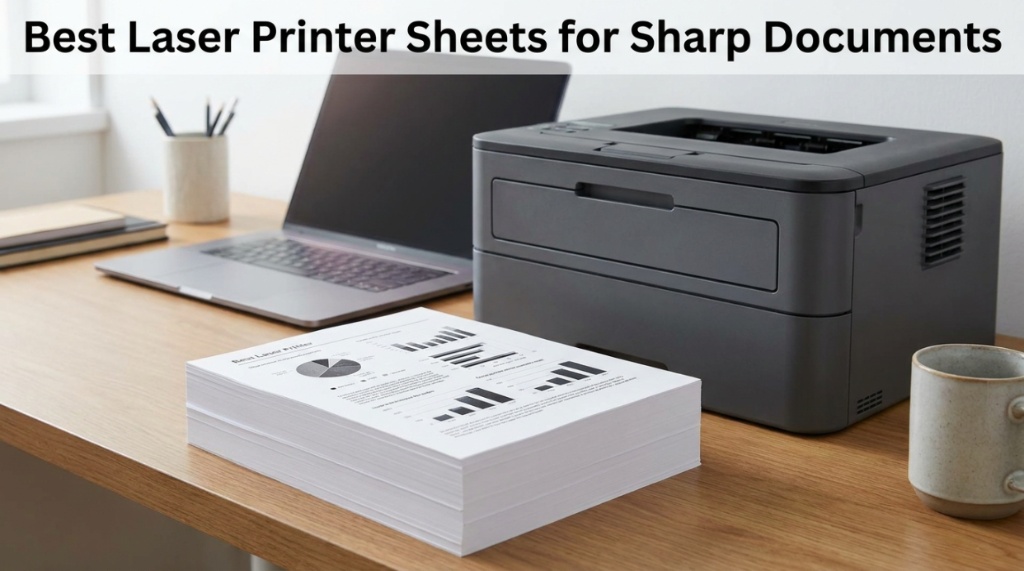
One sheet of poor-quality paper can make a $500 laser printer look broken. That is why choosing the right laser printer sheets matters more than most offices realize. Smudged text, curled corners, faded graphics, and paper jams often come from low-grade paper instead of the printer itself. The best laser-compatible sheets create crisp black text, cleaner graphics, faster drying toner adhesion, and professional-looking documents from the first page to the last
If your contracts, reports, invoices, presentations, or marketing documents look dull even after changing toner cartridges, your paper is likely the hidden problem. Many businesses spend heavily on printers while using low-quality sheets that reduce print clarity and waste toner. Premium laser paper improves print sharpness, protects printer rollers, reduces jams, and delivers consistent professional results.
This guide explains how to choose the best office printing paper, what GSM and brightness ratings mean, which paper types work best for laser printers, and how premium paper improves document quality. You will also learn how to avoid common buying mistakes and choose the right premium A4 paper for daily office use.
What Are Laser Printer Sheets and Why Do They Matter?
Laser printer sheets are specially designed papers made to withstand the heat and toner-based printing process used in laser printers. They provide smoother toner adhesion, sharper text, and reduced paper curling compared to generic copier paper.
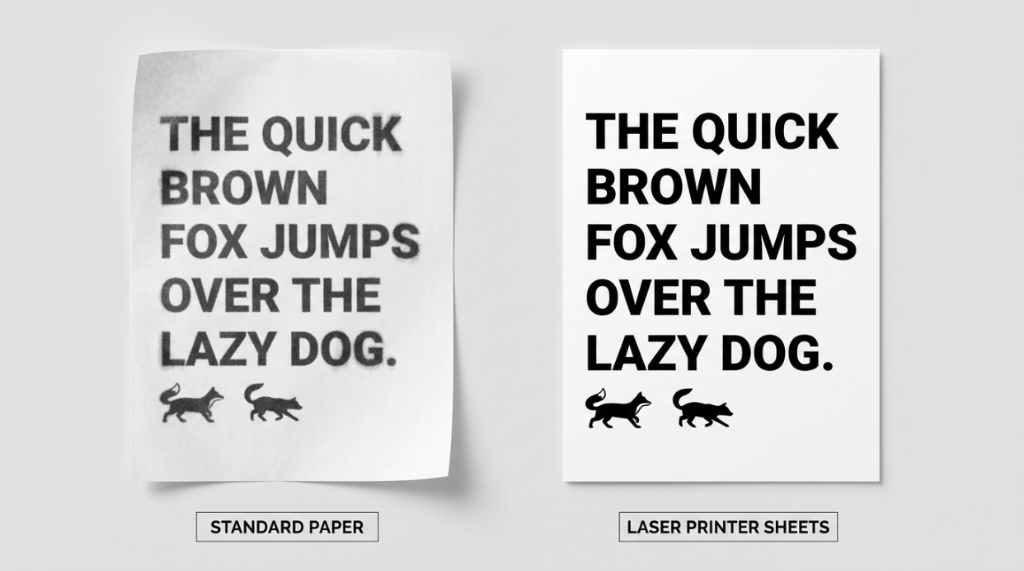
Laser printers use heat to fuse toner onto paper. Standard low-quality sheets often contain uneven fibers and excess moisture, which can lead to smudging, wrinkling, and paper jams. High-quality laser-compatible paper maintains stability under high temperatures and creates sharper print output.
Businesses that regularly print reports, legal contracts, manuals, or client-facing documents benefit significantly from premium paper quality. Cleaner print results improve readability and create a stronger professional impression.
Paper performance also affects printer maintenance. Low-grade sheets release more dust particles, which can build up inside rollers and feeding systems. If your office frequently experiences feeding problems, this guide on printer paper slipping issues explains several common causes and solutions.
What Makes Laser Paper Different From Inkjet Paper?
Laser paper is optimized for toner bonding and heat resistance, while inkjet paper is designed to absorb liquid ink quickly. Using the wrong type can reduce print quality and increase maintenance issues.
- Laser paper has smoother surfaces for sharper text
- It contains less moisture to handle heat better
- It reduces toner scattering and ghosting
- It minimizes curling during high-volume printing
Which Paper Weight Is Best for Laser Printing?
The best paper weight for laser printing usually falls between 80 GSM and 120 GSM, depending on document type. Standard office printing works well with 80 GSM, while presentations and premium documents benefit from heavier paper.
Paper weight directly affects durability, opacity, and overall feel. Thin sheets may allow text to show through the back side, while heavier sheets provide a more premium appearance.
| Paper Weight | Best Use | Performance Level |
|---|---|---|
| 70–75 GSM | Draft printing | Basic |
| 80 GSM | Daily office printing | Standard professional |
| 90–100 GSM | Reports and presentations | Premium quality |
| 120 GSM+ | Brochures and proposals | High-end professional |
For most offices, 80 GSM or 90 GSM paper offers the best balance between cost and print quality.
Does Thicker Paper Improve Sharpness?
Yes. Heavier paper often improves perceived sharpness because toner sits more evenly on stable paper surfaces. Thicker sheets also reduce transparency and enhance readability.
How Does Paper Brightness Affect Print Quality?
Paper brightness determines how vivid text and graphics appear after printing. Higher brightness ratings usually produce better contrast and sharper-looking documents.
Brightness ratings typically range from 92 to 100. Papers with ratings above 96 are considered premium-grade and are commonly used for presentations, reports, and client-facing documents.
- 92–94 brightness = standard office use
- 96–98 brightness = professional-grade documents
- 99–100 brightness = premium presentation quality
Higher brightness improves readability, especially for small fonts and grayscale graphics. Offices that print charts, invoices, or detailed spreadsheets benefit greatly from brighter paper.
Paper quality becomes even more important when selecting new office equipment. Businesses upgrading hardware should also review these important office printer buying factors before investing in a new device.
Is Bright White Paper Better for Professional Documents?
Yes. Bright white paper creates stronger visual contrast, making black toner appear darker and sharper. This improves document readability and creates a cleaner professional appearance.
What Features Should You Look for in Premium A4 Paper?
The best premium A4 paper combines high brightness, low dust content, smooth texture, proper moisture control, and reliable feeding performance for laser printers.
Not all premium papers perform equally. Some focus on brightness, while others prioritize durability or eco-friendly manufacturing. Businesses should evaluate paper based on printing volume and document purpose.
Key Features of High-Quality Laser Paper
- Smooth surface finish
- Consistent sheet thickness
- Low moisture content
- Minimal paper dust
- High opacity
- Jam-resistant design
- FSC-certified sustainable sourcing
Premium papers also improve duplex printing quality by reducing bleed-through and maintaining sharper back-side readability.
Why Does Smoothness Matter?
Smoother paper surfaces allow toner to sit evenly, which improves text definition and image clarity. Rough paper surfaces scatter toner particles and reduce sharpness.
Which Laser Printer Sheets Are Best for Office Printing?
The best office laser papers balance print clarity, feeding reliability, and long-term affordability. High-volume offices should prioritize consistency and low jam rates.
Popular categories include:
- Multipurpose office paper
- Premium presentation paper
- Recycled laser paper
- Heavyweight business paper
- Color laser presentation sheets
Best Paper Types by Use Case
| Use Case | Recommended Paper Type | Suggested GSM |
|---|---|---|
| Daily office printing | Multipurpose laser paper | 80 GSM |
| Business reports | Premium bright white paper | 90 GSM |
| Marketing materials | Heavyweight presentation paper | 100–120 GSM |
| Eco-friendly offices | Recycled laser paper | 80 GSM |
According to office supply industry reports, paper-related issues contribute to a significant percentage of printer service calls. Higher-quality paper reduces operational downtime and improves printing efficiency.
Can Cheap Office Printing Paper Damage Your Printer?
Yes. Poor-quality paper can increase paper jams, toner waste, roller wear, and internal dust accumulation inside laser printers.
Low-grade paper often contains inconsistent fibers and excess debris. These particles accumulate within printer components and affect feeding mechanisms over time.
Common Problems Caused by Cheap Paper
- Frequent paper jams
- Uneven toner adhesion
- Wrinkled sheets
- Smudged text
- Dust buildup inside printer rollers
- Shortened maintenance intervals
Businesses with high monthly print volumes often save more long-term by using better paper rather than purchasing the cheapest option available.
Does Better Paper Reduce Toner Usage?
In many cases, yes. Smooth premium paper improves toner transfer efficiency, which can reduce excessive toner layering and improve print consistency.
How Important Is Moisture Control in Laser Paper?
Moisture control is critical because laser printers generate high heat during printing. Excess moisture causes paper curling, wrinkling, and feeding problems.
Premium laser paper is manufactured with controlled moisture levels to maintain sheet stability during the toner fusion process.
Signs of Excess Moisture in Paper
- Curled edges after printing
- Wrinkled pages
- Multiple-sheet feeding
- Wavy paper texture
- Uneven toner appearance
Proper storage also matters. Office paper should remain sealed until use and stored in low-humidity environments.
Are Recycled Laser Printer Sheets Worth Buying?
Yes. Modern recycled laser papers now offer strong print performance while reducing environmental impact. Many premium recycled options perform similarly to virgin-fiber paper.
Older recycled papers often had rough textures and inconsistent brightness. Today’s manufacturing standards have improved significantly.
Benefits of Recycled Office Paper
- Reduced environmental impact
- Lower deforestation contribution
- Improved sustainability credentials
- Competitive print performance
Look for certifications such as:
- FSC Certified
- PEFC Certified
- EcoLabel standards
Many corporations now include sustainable paper sourcing in procurement policies to support ESG initiatives.
What Is the Best Premium A4 Paper for Professional Documents?
The best premium A4 paper for professional documents combines high brightness, excellent opacity, smooth texture, and reliable laser compatibility.
Professional documents require more than simple readability. Contracts, proposals, presentations, and reports represent your brand image. High-quality paper improves perceived professionalism instantly.
Features to Prioritize for Professional Printing
- Brightness above 96
- 90–100 GSM thickness
- High opacity rating
- Smooth laser-compatible coating
- Jam-resistant performance
Presentation-grade paper also performs well for charts, grayscale graphics, and color laser printing.
If your business also handles specialty-sized prints, this guide covering 11×17 printing paper options can help you choose better large-format sheets.
How Can You Store Office Printing Paper Correctly?
Correct storage preserves paper quality and prevents moisture-related printing issues. Poor storage conditions can ruin even premium paper.
Best Practices for Paper Storage
- Keep paper sealed until use
- Store in cool, dry rooms
- Avoid direct sunlight
- Place paper flat on shelves
- Prevent exposure to humidity
- Rotate older stock first
Paper absorbs moisture from the air quickly. Offices in humid climates should use climate-controlled storage when possible.
How Long Does Premium Paper Last?
When stored properly, high-quality office paper can remain usable for several years without performance issues.
What Are the Most Common Mistakes When Buying Laser Printer Sheets?
The biggest mistake is choosing paper based only on price instead of printer compatibility and document quality requirements.
Common Buying Mistakes
- Ignoring GSM ratings
- Choosing low brightness paper
- Using inkjet-only paper in laser printers
- Buying low-grade recycled sheets
- Storing paper improperly
- Ignoring paper dust levels
Another mistake is assuming all A4 paper performs equally. Manufacturing quality varies significantly between brands and paper grades.
Conclusion: Which Laser Printer Sheets Deliver the Best Results?
The best laser printer sheets improve print sharpness, reduce maintenance problems, and create more professional documents. Quality paper affects toner adhesion, printer reliability, readability, and long-term operating costs more than many businesses realize.
For daily office printing, 80 GSM bright white laser paper offers reliable performance and affordability. Businesses producing proposals, presentations, or client-facing materials should upgrade to 90–100 GSM premium paper with higher brightness ratings for sharper text and stronger visual impact.
Choosing the right office printing paper also protects your printer from excessive wear, feeding issues, and dust buildup. Combined with proper storage and printer maintenance, premium paper delivers cleaner results and fewer interruptions.
Whether you print invoices, reports, manuals, or marketing documents, investing in better premium A4 paper improves both print quality and professional presentation. Start by evaluating your current paper performance and upgrade strategically based on your office printing needs.
Frequently Asked Questions About Laser Printer Sheets
What paper works best in laser printers?
Laser-compatible paper with low moisture content, smooth texture, and 80–100 GSM weight works best in laser printers. It improves toner adhesion and reduces jams.
Can I use regular copier paper in a laser printer?
Yes, but not all copier paper performs equally. Low-grade paper may create smudging, curling, and feeding problems during high-temperature laser printing.
What is the best GSM for office printing paper?
80 GSM is ideal for everyday office printing. For premium reports and presentations, 90–100 GSM paper provides better durability and print clarity.
Does brighter paper improve print quality?
Yes. Higher brightness levels improve text contrast and make documents appear sharper and more professional.
Why does my laser printer keep jamming?
Poor-quality paper, excess moisture, worn rollers, or incorrect paper storage commonly cause laser printer jams.
Is recycled laser paper good for professional documents?
Modern recycled laser paper performs very well for most office applications. Premium recycled options now offer strong brightness and reliable feeding performance.
How should premium A4 paper be stored?
Store paper flat in sealed packaging inside a cool, dry environment away from humidity and direct sunlight.


