

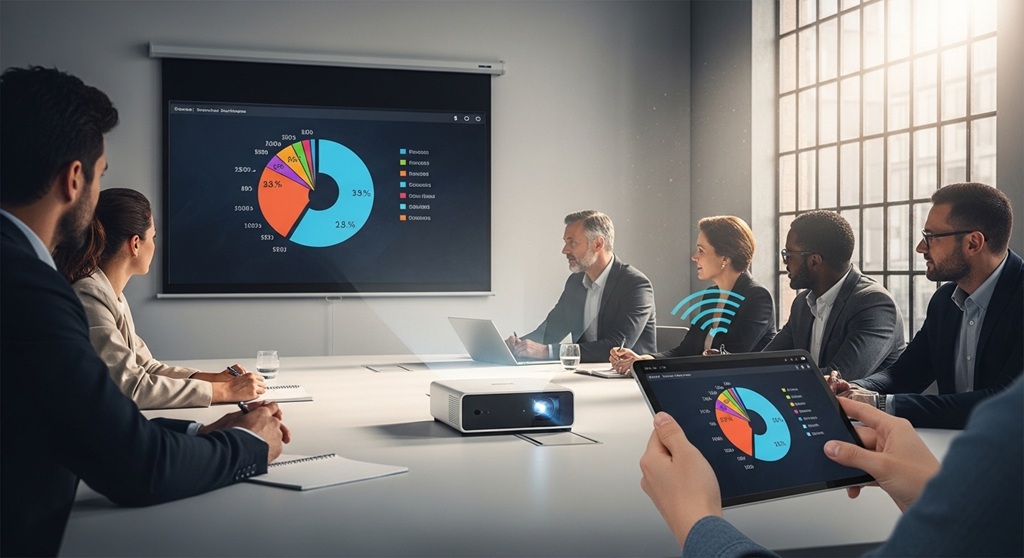
A wireless projector is a display device that connects to laptops, smartphones, or tablets without cables, using Wi-Fi, Bluetooth, or screen mirroring technologies. It enables seamless presentations in offices without setup delays.
Imagine walking into a meeting room. No HDMI cables. No adapter issues. No wasted time. You open your laptop, click “connect,” and your presentation appears instantly on the big screen.
That is the power of a wireless presentation system.
Traditional projectors create friction. Missing cables. Compatibility issues. Setup confusion. These small delays reduce productivity and disrupt the flow of meetings.
A smart projector office setup removes these barriers. It allows teams to collaborate faster, switch presenters instantly, and maintain focus during discussions.
According to a 2023 workplace productivity report by Barco (ClickShare case study), companies using wireless presentation systems reduced meeting start delays by up to 40%. That is not a small gain—it compounds across teams and departments.
In today’s fast-paced work environment, efficiency is not optional. It is expected. Wireless projectors help teams deliver clear, smooth, and professional presentations every time.
How Does a Wireless Presentation System Work?
Short answer: A wireless presentation system connects your device to a projector using Wi-Fi or screen mirroring protocols like Miracast, AirPlay, or Chromecast.
At its core, the system replaces cables with network-based communication. Here is how it works:
- Your projector connects to a Wi-Fi network (or creates its own hotspot).
- Your device connects to the same network.
- You use built-in screen mirroring or a dedicated app.
- Your screen is transmitted to the projector in real time.
Most smart projector office setups support multiple technologies:
- Miracast: Common for Windows and Android devices
- AirPlay: Ideal for Apple devices
- Chromecast: Popular for browser-based casting
- Proprietary apps: Offered by brands like Epson or BenQ
The result is simple: no physical connection required. Just connect and present.
What Are the Key Benefits of Using a Wireless Projector in Offices?
Short answer: Wireless projectors improve productivity, reduce setup time, enable collaboration, and create a cleaner workspace.
1. Faster Meeting Start Times
No cables means no delays. Meetings start on time. Teams stay focused.
2. Multi-User Collaboration
Multiple users can connect and switch screens instantly. This is critical for brainstorming sessions and team discussions.
3. Cleaner and Organized Workspace
No tangled wires. No clutter. A smart projector office setup looks professional and modern.
4. Cross-Device Compatibility
Whether your team uses Windows, macOS, Android, or iOS, wireless systems support all platforms.
5. Remote Presentation Capability
Some systems allow remote participants to present directly, making hybrid meetings smoother.
Real-world insight: A mid-sized IT firm in Singapore reported a 30% improvement in meeting efficiency after switching to a wireless presentation system (internal case study, 2022).
How Do You Set Up a Wireless Projector for Office Use?
Short answer: Connect the projector to Wi-Fi, link your device to the same network, and use screen mirroring or a casting app.
Step-by-Step Setup Guide
- Turn on the projector and access network settings
- Connect it to your office Wi-Fi
- Ensure your device is on the same network
- Open screen mirroring or casting feature
- Select the projector from available devices
- Start presenting
Some systems include USB dongles or apps for faster pairing. Others offer QR-code-based connections for quick access.
Pro Tip
Use a dedicated presentation network to avoid bandwidth congestion during important meetings.
What Features Should You Look for in a Smart Projector Office Setup?
Short answer: Look for high resolution, low latency, multi-device support, strong security, and easy connectivity.
| Feature | Why It Matters |
|---|---|
| 1080p or 4K Resolution | Ensures clear visuals and readable text |
| Low Latency | Prevents lag during presentations |
| Multi-Device Support | Allows seamless switching between users |
| Security Protocols | Protects sensitive business data |
| App-Free Casting | Reduces setup complexity |
Do not ignore security. Enterprise-grade systems offer encryption and PIN-based access to prevent unauthorized connections.
What Are Common Problems with Wireless Projectors and How Do You Fix Them?
Short answer: Most issues relate to connectivity, lag, or compatibility—and can be fixed with proper network setup and device updates.
1. Connection Drops
Fix: Ensure stable Wi-Fi and reduce interference from other devices.
2. Screen Lag
Fix: Use a 5GHz network instead of 2.4GHz for better performance.
3. Device Not Detected
Fix: Update firmware and ensure both devices are on the same network.
4. Poor Image Quality
Fix: Adjust resolution settings and check projector brightness.
Most issues are not hardware failures. They are network-related. Fix the network, and the system performs reliably.
How Secure Is a Wireless Presentation System in Offices?
Short answer: Modern wireless presentation systems use encryption, authentication, and network controls to ensure secure data transmission.
Security is a valid concern. You are sharing sensitive company data on a shared network.
Reliable systems include:
- End-to-end encryption (AES 128-bit or higher)
- PIN-based session access
- Guest network isolation
- Admin-level control dashboards
According to a 2023 enterprise AV security report, companies using secure wireless presentation tools experienced 60% fewer unauthorized access incidents compared to open systems.
Security is not optional. It is part of a professional smart projector office setup.
How Does a Wireless Projector Improve Hybrid and Remote Meetings?
Short answer: Wireless projectors allow both in-room and remote participants to share content seamlessly, improving collaboration.
Hybrid meetings are now standard. Teams are not always in the same room.
A wireless presentation system bridges that gap:
- Remote users can cast their screens
- Presentations can be shared across platforms
- No need for physical presence to contribute
This creates a more inclusive environment. Everyone can participate equally.
Companies adopting hybrid-friendly tools report higher engagement and better decision-making speed.
Are Wireless Projectors Worth the Investment for Offices?
Short answer: Yes. They reduce downtime, improve collaboration, and deliver long-term productivity gains.
Let’s break it down:
- Time saved per meeting: 5–10 minutes
- Meetings per week: 20+
- Time saved annually: 80+ hours per team
That is not just convenience. That is measurable ROI.
When you combine productivity gains with improved collaboration, the investment pays for itself quickly.
A smart projector office setup is no longer a luxury. It is a competitive advantage.
Conclusion: Should You Upgrade to a Wireless Projector Today?
Wireless projectors are not just about removing cables. They are about removing friction.
Every delayed meeting. Every technical issue. Every wasted minute—these add up. Over time, they impact team performance and business outcomes.
A wireless presentation system solves these problems at the root. It simplifies setup, enhances collaboration, and creates a more efficient work environment.
If your office still relies on traditional setups, you are leaving productivity on the table.
CTA: Start by upgrading one meeting room with a smart projector. Test the impact. Measure the results. Once you see the difference, scaling becomes an easy decision.
FAQs: Wireless Projector for Office Use
What is the best wireless presentation system for offices?
Answer: The best system depends on your needs, but top options include solutions with multi-device support, strong security, and low latency like Barco ClickShare or Epson wireless systems.
Do wireless projectors require internet access?
Answer: Not always. Many systems work on local Wi-Fi networks or direct connections without internet access.
Can multiple users connect to a wireless projector?
Answer: Yes. Most modern systems allow multiple users to connect and switch screens easily.
Is there any delay in wireless presentations?
Answer: Minimal delay may occur, but high-quality systems with strong networks offer near real-time performance.
Are wireless projectors compatible with all devices?
Answer: Most support Windows, macOS, Android, and iOS through Miracast, AirPlay, or apps.
How do you secure a wireless presentation system?
Answer: Use encrypted systems, enable PIN access, and operate on a secure network.
What is the cost of a smart projector office setup?
Answer: Costs vary, but basic setups start around $500, while enterprise solutions can exceed $2,000.
Read More Also: How to Install a Projector Screen in Your Office (Easy Guide)
Find out: Commercial vs Residential Vacuum Cleaners: What’s the Real Difference?

